Fort Worth Star-Telegram News
- 3.0
- Rating
- 100.00K
- Installs
- Free
- Price

 Analysis by App-foxy
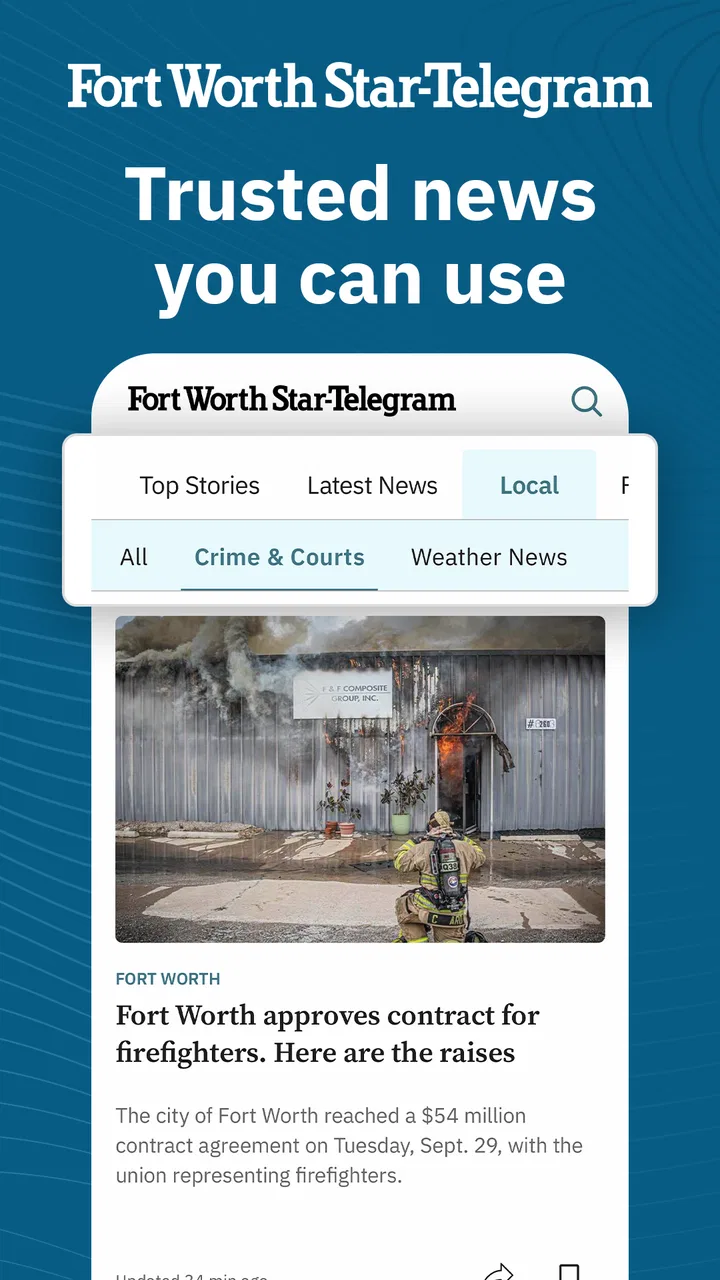
I approached Fort Worth Star-Telegram News as a local news reader first, not as a general-purpose national news app. That distinction matters. Its focus is Fort Worth, Texas, with coverage areas that include breaking news, politics, weather, crime, and sports. If your daily questions are local ones—what happened nearby, whether severe weather may affect your plans, or what is developing in the area—this is a more targeted choice than a broad news feed.
The app is published by McClatchy and sits in the News & Magazines category. It is free to install, although in-app purchases range from $7.99 to $159.99 per item. That makes it worth approaching as an entry point rather than assuming every part of the reading experience will be available without limits. I found the most useful way to judge it was to look at how quickly it gets me to relevant local information, how much friction appears around access, and whether it fits my normal phone habits.
Getting past the first points of friction
The first place many readers can get stuck is not the news itself but the expectation that a free app automatically means unlimited access to everything inside it. A free download lowers the barrier to trying the app, but the presence of optional purchases means the practical experience can depend on what a reader wants to open and how often they use it. I would install it with that distinction in mind: downloading costs nothing, while some content or access paths may lead toward paid options.
You May Also Like

 Blood Strike: 2.5 Anniversary
Blood Strike’s Loadouts Turn Every Drop Into a Tactical Gamble
A close look at Blood Strike’s custom loadouts: how fast access to signature weapons reshapes its battle royale rhythm, rewards preparation, and narrows the gap between fights.

 Pandora - Music & Podcasts
Pandora’s Music Is Easy to Start, but Harder to Recover
Pandora’s strength is its low-effort path from a seed to a station. Its weak spot is how much confidence it asks you to place in connection, setup, and quiet recovery.

 8 Ball Pool
 Is Built on Rivalries, Rematches, and Routine
A close look at the rivalries, rematches, shared routines, and unanswered safety questions that turn a quick pool match into a persistent mobile community.

 Samsung Music
’s Quiet Strength Is Playing What You Already Own
Its reach comes less from spectacle than from dependable access to a personal library. That simplicity is both the app’s strongest retention engine and its ceiling.

 AccuWeather: Weather Radar
AccuWeather Review: A Quick, Clear Forecast for Everyday Decisions
For everyday plans, the best forecast is the one you can understand quickly. AccuWeather makes rain timing, radar, and local conditions easy to act on, with a few trade-offs.

 Hill Climb Racing
Why Hill Climb Racing Still Turns Crashes Into One More Run
A tiny car, a bumpy hill and one more upgrade: Hill Climb Racing keeps resurfacing because its simple chaos makes every near-miss feel personal.
More From Our News Desk



The app has an Everyone 10+ content rating, which feels appropriate for a local publication covering crime, politics, emergencies, and other serious subjects. Parents choosing news apps for younger readers should still remember that an age label does not make every headline or image comfortable for every child. The subject matter itself is the important consideration here, especially when breaking local events are being followed.
On Android, the listed minimum operating-system requirement is Android 8.0. That is helpful when deciding whether an older phone is a likely candidate. If the device runs an earlier release, installation or normal operation may be blocked before the app has a chance to load. In that situation, changing settings inside the app will not solve the problem; the more realistic options are updating the phone if supported or using another way to read the publication.
The current version is 11.1.16. I would check that the installed copy has finished updating before judging performance, particularly on a phone that has not opened the app for a long time. A partially completed update, a pending system restart, or a crowded storage area can create behavior that looks like a problem with the news app when the real issue is the device’s update state.
Another common sticking point is network switching. Local news apps are often opened at exactly the moment a person is moving between home Wi-Fi, mobile data, a workplace network, or a weak public connection. If a page remains blank, I first test another ordinary website or app. If everything else is also slow, I reconnect to the network or switch connections before repeatedly closing and reopening the news app.
I also avoid judging the app during the first few seconds after launch. A news reader may need time to retrieve current material, and a weak connection can make that delay feel like a frozen screen. My practical check is simple: wait briefly, try another section, and then reopen the app only once. Repeatedly tapping the same headline or refresh control tends to make the experience feel less reliable without actually fixing the connection.
Small setup checks that save time
Before relying on the app for a morning commute or a weather-sensitive plan, I would open it at home and make sure the main sections behave normally. This is a better test than discovering a loading problem while already outside. I would also confirm that the phone has enough free storage for ordinary app updates and that the operating system is supported.
It is useful to decide what role the app will play. If I want a quick local briefing, I can open it when I need a specific update. If I expect to follow a developing story throughout the day, I would test the reading flow in advance and keep a browser-based alternative available. That is not a criticism unique to this publication; it is a sensible habit whenever news access matters during an event.
Readers should also think about account and purchase prompts carefully. If the app presents an option connected with paid access, I would read the wording before confirming anything and make sure the purchase matches what I actually want. The listed price range is broad, so I would not treat every prompt as interchangeable. A reader who only wants occasional local headlines may prefer to remain with the free portion, while a committed local-news reader may find a paid route more worthwhile.
One useful habit is to separate three different problems: the app failing to open, a story failing to load, and a story opening but asking for access. They can look similar when you are in a hurry, but they call for different responses. Restarting the phone may help the first. Checking the connection may help the second. The third is an access decision, not a technical failure.
Recovering a disrupted reading routine
When the reading flow breaks, I use a short recovery sequence rather than immediately uninstalling. First I leave the article and try another part of the app. If other sections load, the issue may be limited to that item or its current connection. If the whole app is unresponsive, I close it, reopen it, and check whether the phone itself is behaving normally.
If the problem continues, I test the network and look for a pending app or system update. On Android, I would also use the device’s standard app-management tools to inspect the application and, where appropriate, clear temporary cached data. I would be cautious with any option that removes stored information, because that can require signing in again or repeating setup steps. The safest approach is to use the least disruptive fix first.
A particularly practical workflow is to avoid depending on one article screen. If I am following local politics, weather, crime, or sports, I start from the relevant section rather than repeatedly reopening a failed headline. This gives me a way to see whether the broader feed is working and may surface the same developing topic through another entry point.
For breaking news, I would also record the time I last successfully read an update. That sounds basic, but it prevents confusion when a feed appears unchanged. A lack of visible movement may mean the story has not changed, the connection has not refreshed, or the app is showing an older view. Checking another section and returning later is more reliable than assuming every delay means the service is down.
People who use the app around school runs, work commutes, or outdoor plans may benefit from a two-step routine: check the local forecast or major headlines before leaving, then use the app again when they have a stable connection. This reduces the chance that a weak signal becomes the deciding factor when the information is time-sensitive. I would not treat the app as a substitute for every emergency channel, but it can be a convenient local-news source within a broader information routine.
When the app is not actually the cause
Some apparent failures originate outside the application. An older phone that is nearly full may update slowly or terminate apps in the background. A restrictive workplace or public network may interfere with news pages. A temporary mobile-data problem can affect only one app enough to make it look defective. Testing another service is the fastest way I know to distinguish an app-specific problem from a device or connection problem.
There is also a difference between a slow article and a slow phone. If menus across the device lag, the phone may need a restart or general maintenance. If only one story is affected while the rest of the app works, I would avoid making broad changes to the device. That kind of diagnosis saves time and reduces the risk of deleting useful app information unnecessarily.
Content access can be mistaken for a loading error as well. A page that opens but leads to a purchase choice is behaving differently from a page that never appears. Since this app includes in-app purchase options, I would treat the wording on that screen as important. Readers should decide whether the requested access fits their needs instead of repeatedly refreshing the page.
The same caution applies to expectations about coverage. The app is specifically valuable for Fort Worth and surrounding local interests represented in its news areas. Someone seeking a broad international briefing, a specialized technology publication, or a complete national sports service may be better served by a different app. A local newspaper reader and a general news aggregator solve different problems.
Compared with a general news aggregator, this app offers a narrower lens that can be an advantage when local relevance matters. Aggregators are good at collecting many sources, but they can bury neighborhood-level reporting among national headlines. Compared with reading the publication only in a browser, a dedicated app may feel more direct for repeated phone use, though browser reading can be preferable for someone who wants fewer installed apps or easier cross-device access.
Who will get the most from it
I see the strongest fit for Fort Worth residents, people working in the area, and anyone with a continuing local connection who wants news organized around the place rather than around a broad national conversation. The combination of local breaking news, politics, weather, crime, and sports covers the subjects that commonly shape daily decisions.
A realistic example would be a commuter checking the app before leaving for work. They might look at weather first, scan major local headlines, and then open sports or politics later in the day. That routine works because the app’s value comes from repeated local relevance, not from trying to replace every other source on the phone.
It can also suit someone who has moved away from Fort Worth but still follows the area. In that case, the app can serve as a focused connection to local developments that might not appear prominently in a national feed. I would still compare important information with official sources during emergencies, but the publication’s local emphasis makes it more useful than a generic headline stream for staying oriented.
I would be more hesitant to recommend it to a reader who only wants occasional national headlines, has a phone below Android 8.0, or strongly dislikes apps that may present paid-access choices. It may also be the wrong choice for someone who wants a highly customizable multi-source dashboard. The narrower focus is its main strength, but it is also the reason some users will outgrow it.
The app has an average rating of 3.0 from around 796 ratings, with 275 written reviews. I read that as a reason to keep expectations practical rather than assuming a universally smooth experience. The rating does not erase the app’s local usefulness, but it does support testing the workflow on your own device before making it part of an essential daily routine.
My practical verdict after weighing access and usefulness
Fort Worth Star-Telegram News is a sensible free starting point for readers who specifically want Fort Worth-area reporting on a phone. Its value is not in offering everything; it is in reducing the distance between a local reader and the subjects that matter nearby. The focused coverage makes more sense to me than a broad feed when I am checking weather, local politics, crime reports, sports, or a developing regional story.
The main trade-off is that installation is only the beginning. Device compatibility, network quality, update status, and purchase prompts can all affect how smooth the experience feels. I would set it up on a supported device, test it on a reliable connection, and learn the difference between a technical loading problem and a paid-access screen. Those simple checks make the app easier to evaluate fairly.
With over 100K installs, it has reached a meaningful audience, but popularity alone would not decide my recommendation. I would choose it because its geographic focus matches my information needs. If I lived far from Fort Worth and wanted a general news service, I would choose an alternative with wider coverage. If local Fort Worth reporting is exactly what I am after, this app deserves a trial.
McClatchy’s publication app is best used as one dependable part of a local-news routine rather than the only source for urgent decisions. I would keep official emergency channels in mind, use another connection when the app appears stalled, and avoid paying for access without first understanding the prompt. For the right reader, those are manageable compromises, and the local focus makes the app more useful than its modest overall rating might initially suggest.
FAQs for Fort Worth Star-Telegram News
01What is the Fort Worth Star-Telegram News app?
The Fort Worth Star-Telegram News app is a mobile way to follow reporting from the Fort Worth Star-Telegram, with coverage focused on Fort Worth, Tarrant County, and the wider North Texas region. It typically brings together breaking news, local politics, crime, education, business, sports, entertainment, opinion, and community stories in one place, making it useful for readers who want local updates while away from a desktop browser.
02Does the app provide breaking news and local Fort Worth coverage?
Yes. The app is designed primarily around local and regional journalism, so users can expect updates about important events in Fort Worth and surrounding communities. Coverage may include developing stories, public safety, transportation, government, schools, weather-related news, and major local events. Breaking-news availability can vary depending on the story, editorial updates, and your notification settings, so it should not be treated as an emergency alert service.
03Is the Fort Worth Star-Telegram News app free to download and use?
Downloading the app is generally free, but access to all articles and features may depend on the publication’s subscription and paywall policies. Some stories may be available without signing in, while other content can require a digital subscription or an eligible account. Before downloading, users should review the current terms shown in the app and their device’s store listing, since pricing, trial offers, and access limits may change.
04Do I need a subscription to read every article?
Not necessarily, but a subscription may be required for unlimited access to the full Star-Telegram news experience. The app can offer a mixture of freely accessible articles and premium stories, depending on the current account rules. If you already subscribe through the newspaper, signing in with the correct credentials may unlock additional content. Check the subscription screen carefully before starting a trial or purchase.
05Can I receive notifications and customize the news experience?
The app may allow users to receive push notifications for breaking stories, major local developments, and other updates selected by the publisher. Notifications can usually be enabled or disabled through the app or your phone’s system settings. Depending on the version, users may also be able to save stories, manage an account, and browse content by section. Available personalization tools can differ between Android and iOS releases.
Pros
- Fast access to breaking news across Fort Worth and North Texas.
- Local reporting covers politics
- crime
- sports
- business
- and community events.
- Personalized alerts help you stay informed about important regional stories.
- Clean layout makes articles easy to browse on phones and tablets.
- Includes coverage from the Star-Telegram’s experienced local newsroom.
Cons
- Some articles may require a subscription or registered account to read.
- Frequent notifications can feel excessive unless you adjust alert settings.
- Advertising may interrupt browsing and reduce available screen space.
- Coverage is strongly regional
- so it may offer limited national news depth.
- App performance and update quality may vary across different devices.

Fort Worth Star-Telegram News
Gallery